Recall
Role
Product designer and builder: research, design and front-end
Stakeholders
A founder-CEO as design partner, plus product leadership
Tools
Figma, Next.js, React, Tailwind CSS & Claude Code
Timeline
2 weeks · Sep 2026
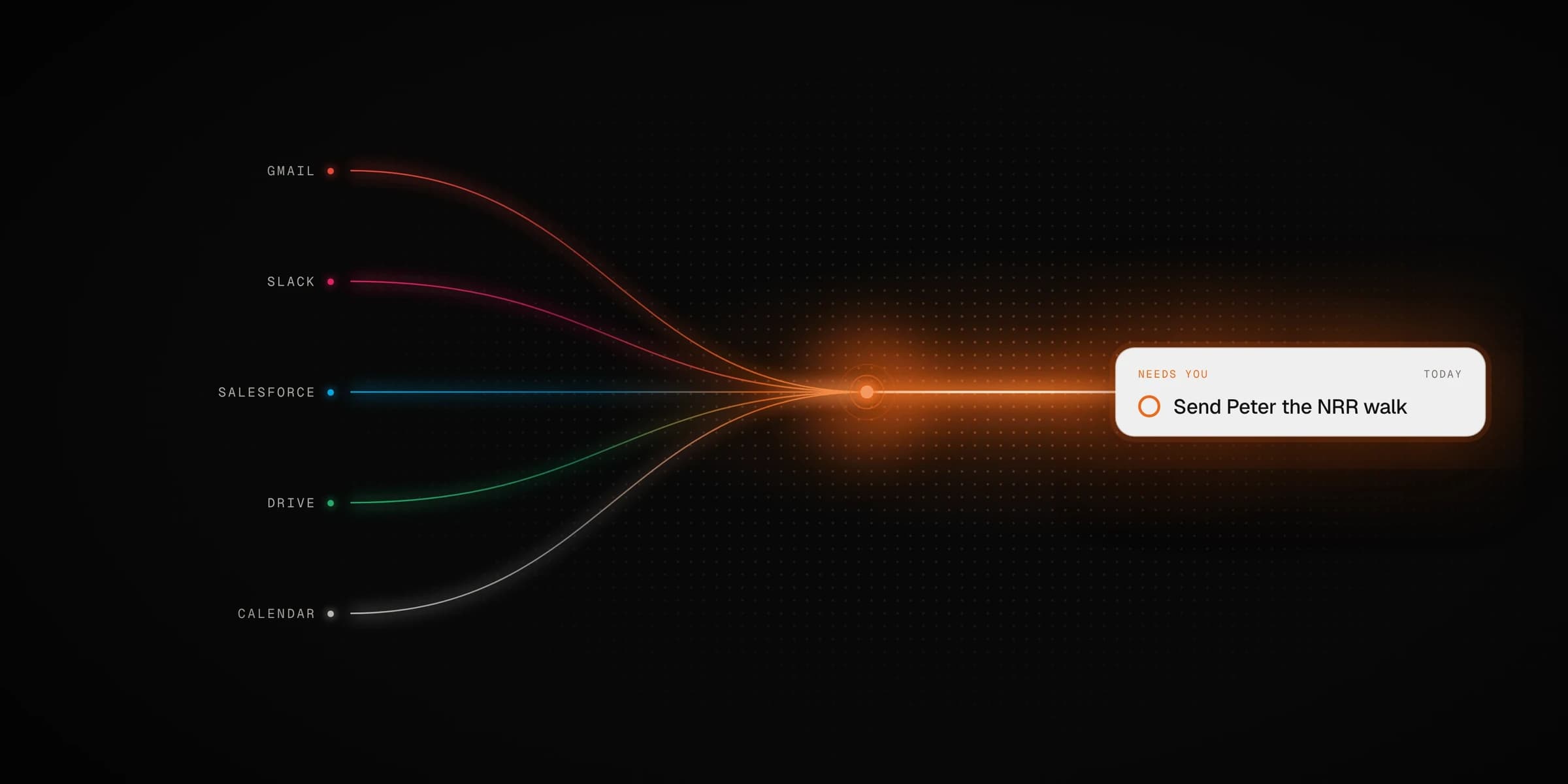
8 of 10 executives in testing chose the do list over their own calendar as a homepage, and answered "what's next?" in half the time.
A do list and calendar for a CEO, built on the company's connected data: Gmail, Slack, Salesforce, Drive, Jira and the calendar. It ranks what he owes, shows the history behind each item, and lets him hand work to someone with that history attached. The core decision: **a commitment and a calendar event are the same object.** An item only gets a time slot when it needs one.
Problem
Tasks live in one app, meetings in another, and the background to both is spread across six more.
Solution
- — One item type that becomes an event once it has a time
- — Each item shows its history with that person or deal
Problem
The CEO asked to stop prioritising. A sort menu would hand the job straight back to him.
Solution
- — A fixed ranking with no sort control
- — Very few items marked urgent, so the colour keeps its meaning
Problem
Most of his work is handing things to other people, and forwarding an email loses the background.
Solution
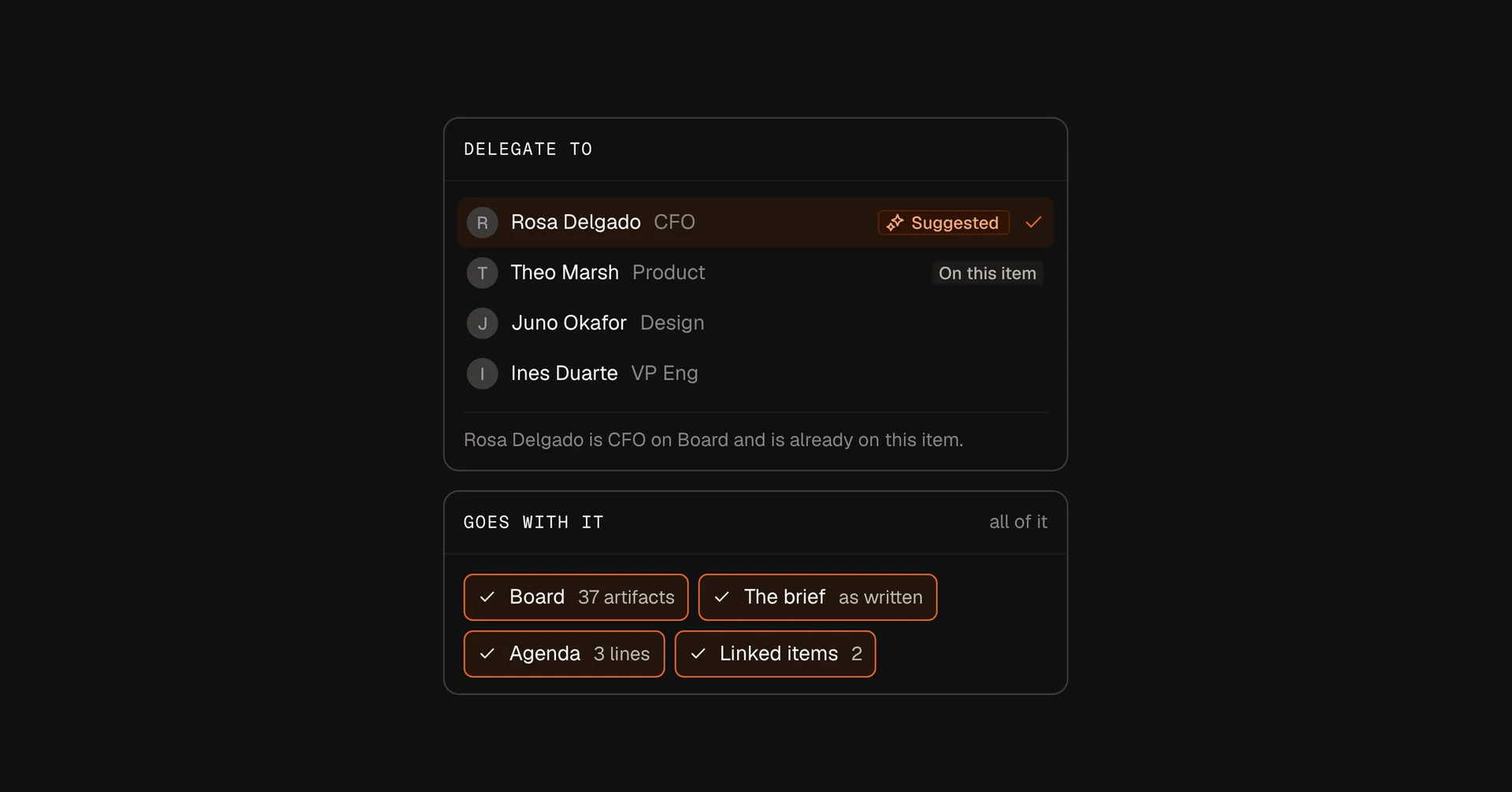
- — Delegation sends the thread, brief and files along
- — If a handed-off item goes quiet, it comes back to his list
Recall's CEO wanted to grow the company fourfold in a year. Most of what he owed lived in his head: promises made in email, requests in Slack, follow-ups that never reached the calendar. His brief was "Prioritize for me", and he wanted to stop worrying about missing things.
The plan was to start with the CEO and spread through the company as he handed work to people.
Constraints & scope
- — Two weeks from the first call to a working prototype
- — No live integrations. A set of 22 anonymised sample items stands in for the company data, so every state was designed deliberately
- — A fixed clock, so every demo plays out the same way
- — Out of scope: onboarding, the org chart and WhatsApp
Primary
The CEO
Responsible for more than anyone can keep track of. Wants to be told what to do next and why.
Also reads
CFO and VP Engineering
Need to see what has been handed to them, who is waiting, and what was decided.
Pulled in
Everyone else
Join when the CEO hands them work. Each hand-off is a reason to open Recall.
We looked at enterprise search tools and calendar apps. Search tools know the whole company but never show time. Calendars show time but know nothing about the company.
Search tools know the company. Calendars know time. Few do both.
- Recall
- 01Gleangraph, no timeline
- 02Sana AIdate chip
- 03Dustagents, no time
- 04Slitedate filter
- 05Notioncalendar ≠ AI
- 06Amiecalendar-first
- 07Towntasks ↔ chat
- 08Screenpiperange → ask
- 09Rewindvacated
Patterns we borrowed
GitHub
Density over grid
Shade each day by how busy it is, so a heavy week stands out before you read anything.
Used in: Month viewSalesforce, Rise
Source rail
A toggle per connected app beside the calendar.
Used in: Sources panelVercel, Toggl
Date-grouped feed
A list grouped by date. It works when a grid can’t fit the day, and the do list uses the same shape.
Used in: Do listScreenpipe
Select a range, then ask
Pick a stretch of time, then ask a question about it.
Used in: Ask barA commitment is not a calendar entry
Tasks and events are one object. Scheduling something changes its state; it doesn’t move it to another app.
Ranked for him
A fixed order and no sort control.
Urgent is rare
Only two items in the whole set are flagged, so the orange still stands out.
Write about the work
Rows describe the company’s work, not what the AI did.
The home screen: three numbers at the top, then one ranked list. Open an item to see its background, or hand it to someone without leaving the page.
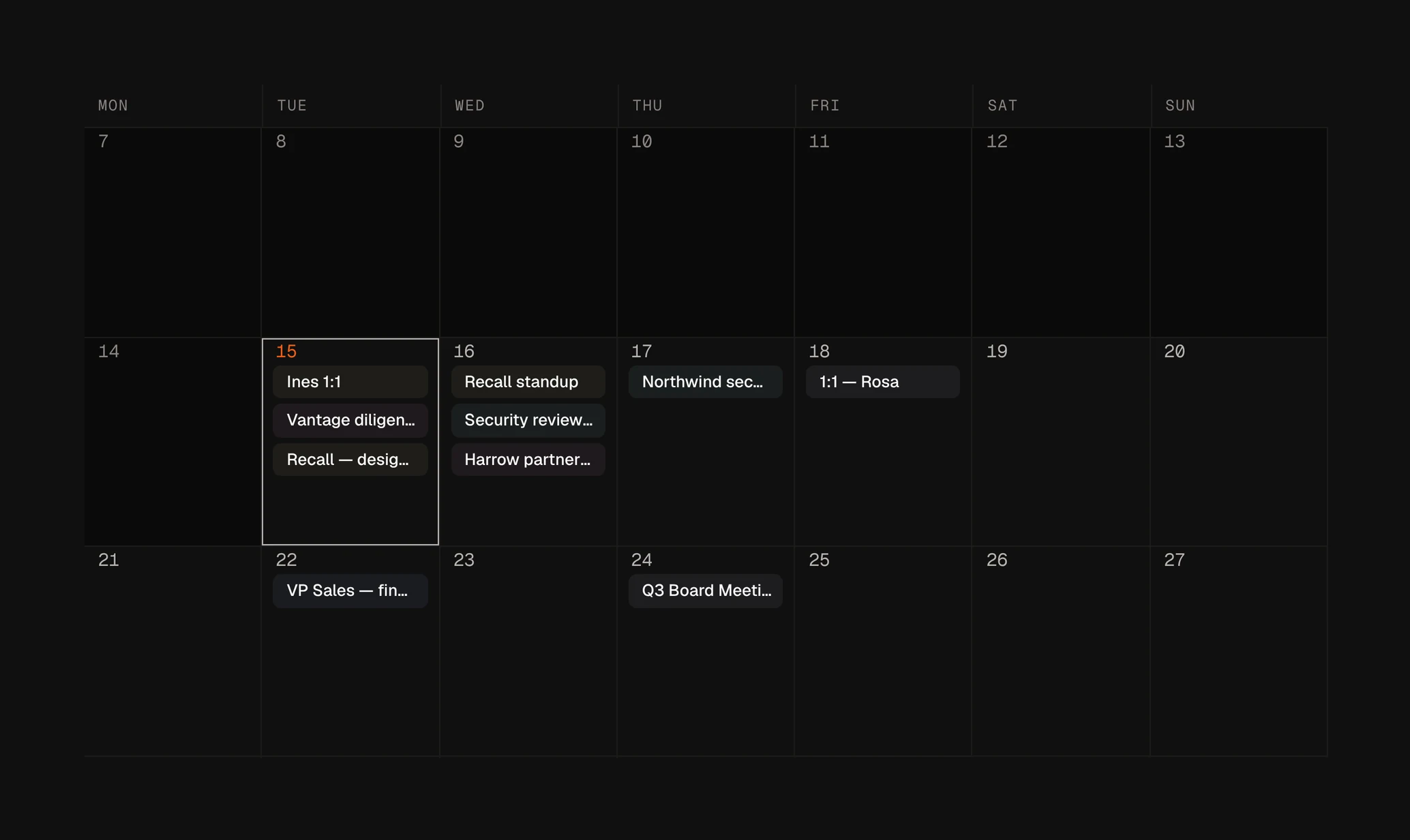
The same items laid out in time. Days are shaded by how busy they are.
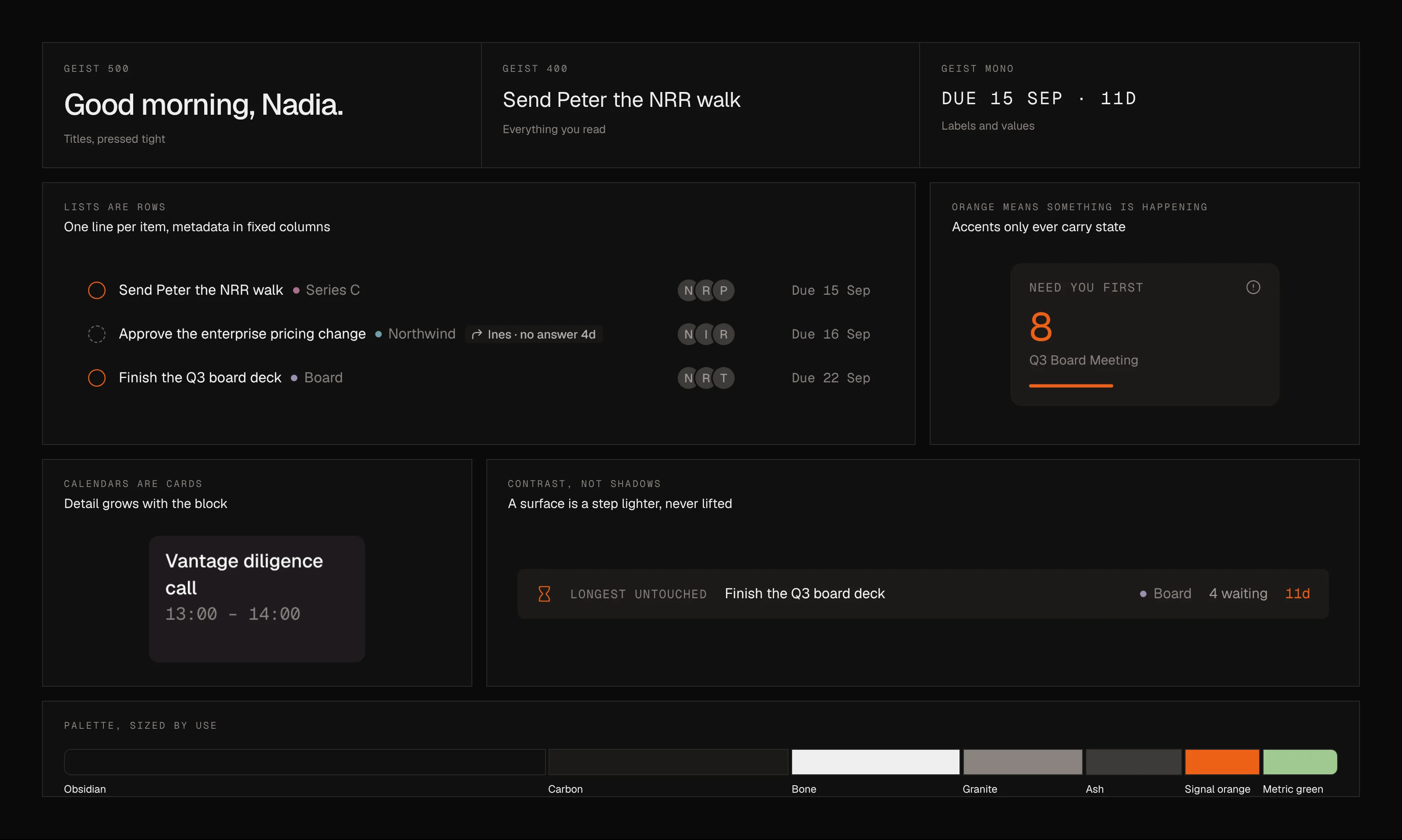
Who owes what to whom, sorted by how long each item has gone untouched. People and Recall appear in the same column and are judged the same way.
Cards → rows
A large card per item became hard to scan after six. Lists switched to compact rows with fixed columns; the calendar kept cards.
AI activity → the company’s work
The first ledger listed what the AI had done. Reorganising the same data around who owes what made it useful to the CEO.
Two data models → one
The ledger had its own data type, and the board deck soon appeared twice with different details. Its fields moved onto the shared item.
One-way hand-off → follow-up
Delegated work used to disappear. Now it has a status and a due date, and returns to the list if nobody acts on it.
Two rounds of moderated sessions with 10 founders and executives, each using a week of their own commitments recreated in the sample data. Tasks: decide what to do next, hand the board deck to the CFO, and find last month’s busiest week.
What we learned
- — 7 of 10 looked for a sort control in round one. After each item showed why it was ranked there, none did.
- — 9 of 10 found the busiest week in under five seconds with shading, against 4 of 10 with item counts.
- — Testers removed attached context in 1 hand-off in 5, so removing context needs a confirmation and adding it doesn’t.
Factory: a near-black background, Geist set tight, thin borders and no shadows. Orange and green are only used for status. Light mode swaps the greys and keeps the accents.
8 / 10
executives chose the do list over their calendar as a homepage
−48%
time to answer “what should I do next?” (3m 40s → 1m 55s)
3×
more items handed off with context attached, compared with forwarding
0
commitments missed in a two-week pilot, against 6 the fortnight before
Now in a pilot with two leadership teams.
Capacity
Telling the CEO when a week has no room for what he’s committed to.
Other readers
The ledger is written for the CFO and VP Engineering too. The data supports it; sign-in and permissions don’t yet.
Meeting outcomes
Capturing decisions from meetings, not just agendas.
What Worked
- — One data model behind all three views, so the screens never disagreed
- — Writing down each decision and the reason for it
- — Designing the sample data on purpose: each of the 22 items shows a state no other item does
Challenges
- — The first ledger described what the AI had done, not what the company owed. Changing the subject fixed it
- — Keeping the sample list short enough to read, the same way a real list has to be
TIME: